



Monday morning starts with a route sheet on the passenger seat, water-test notes in a technician's pocket, and a customer asking whether anyone visited the pool last week. In the office, you're matching handwritten readings to invoices while a tech calls for a gate code that's buried in a spreadsheet. The work gets done, but too much of the day goes into proving it.
Pool service business software should connect the route, the visit record, and the payment. If it only digitizes the calendar or sends invoices, it's not fixing the operational problem. Choose software by asking whether it helps technicians complete good work, gives managers reliable records to review, and makes the route easier to run.What Pool Service Business Software Actually Does
A route-based pool company runs on recurring visits. Customers expect weekly or biweekly service, technicians need access notes and equipment details at each stop, and managers need to know what happened after a visit. Pool service business software connects those moving parts in one operational workflow, rather than leaving scheduling, chemical records, customer messages, and billing scattered across paper and separate apps.
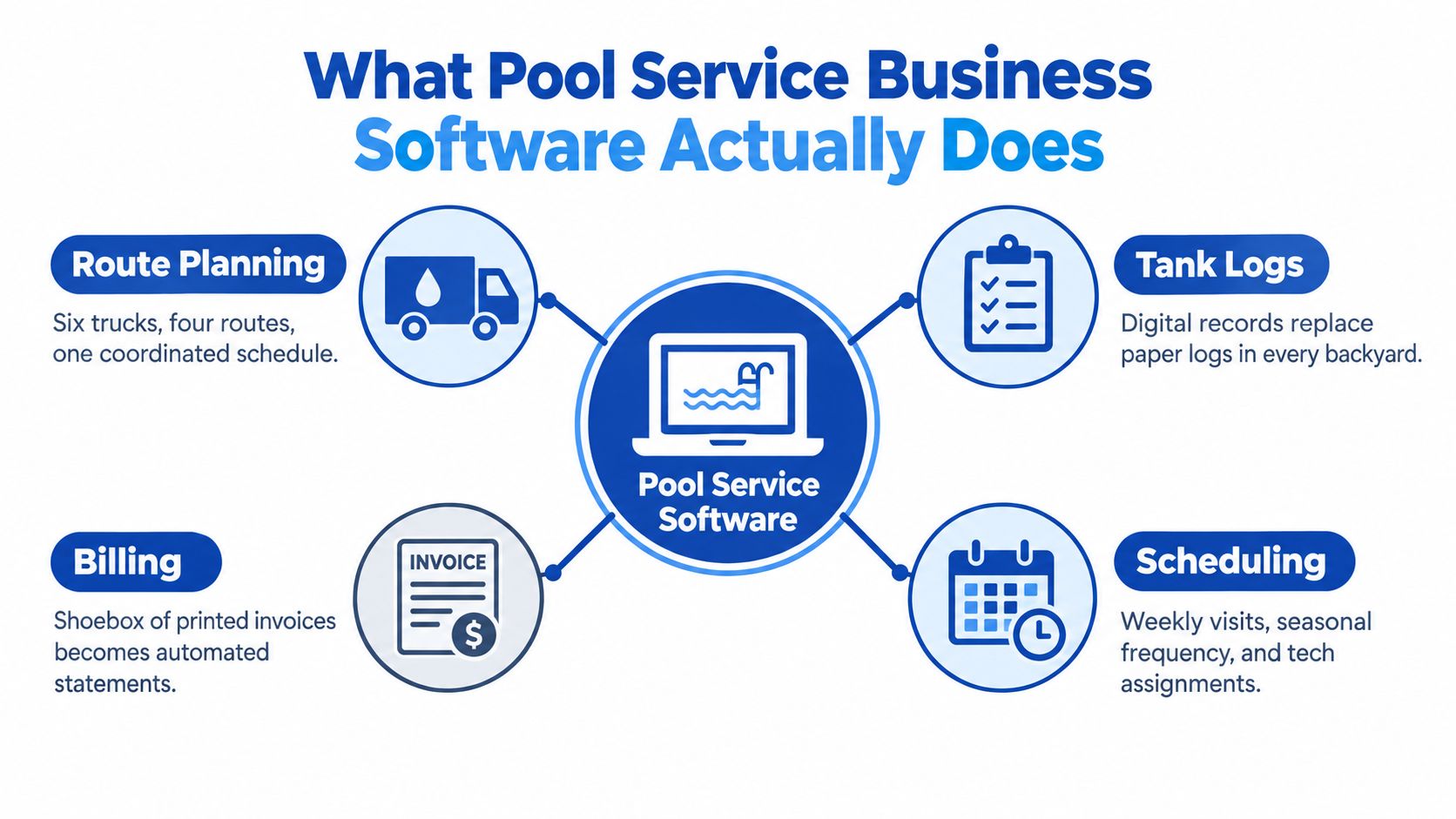
A Monday morning with six trucks and four routes makes the difference obvious. If every technician carries a clipboard tank log and the office keeps printed invoices in a shoebox, someone has to reconcile the work later. A digital system should replace that daily handoff with a mobile visit record that connects the customer, scheduled job, technician, readings, notes, and invoice.
Think of it as an operations layer
The category isn't just an invoicing app or a calendar. At its best, it coordinates the whole service loop:
That structure matters because pool work isn't just a series of independent appointments. Routes repeat, the same water chemistry changes over time, and equipment history can affect what a technician needs to inspect. A generic calendar may tell a worker where to go, but it won't necessarily help them record the service in a consistent way.
Pick the right layer for the problem
Start by deciding what you're buying. An all-in-one platform can manage scheduling, routing, service history, and billing in one place. A routing add-on may work if your existing system handles customers and invoices well but struggles to sequence stops. A chemistry app can be useful when technicians need detailed readings, but only if those records can connect to the job and customer history.
Industry estimates suggest that administrative digitization is more common than advanced analytics: 72% of U.S. pool service companies use accounting software, 60% use scheduling applications, 40% use customer relationship management software, and 30% use artificial intelligence for demand forecasting (industry estimate on pool service software adoption). The same estimate says 65% use mobile service applications. The practical lesson is that most operators don't need to start with predictive features. They need dependable scheduling, field documentation, and clean connections between the systems they already use.
Must-Have Features Worth Paying For
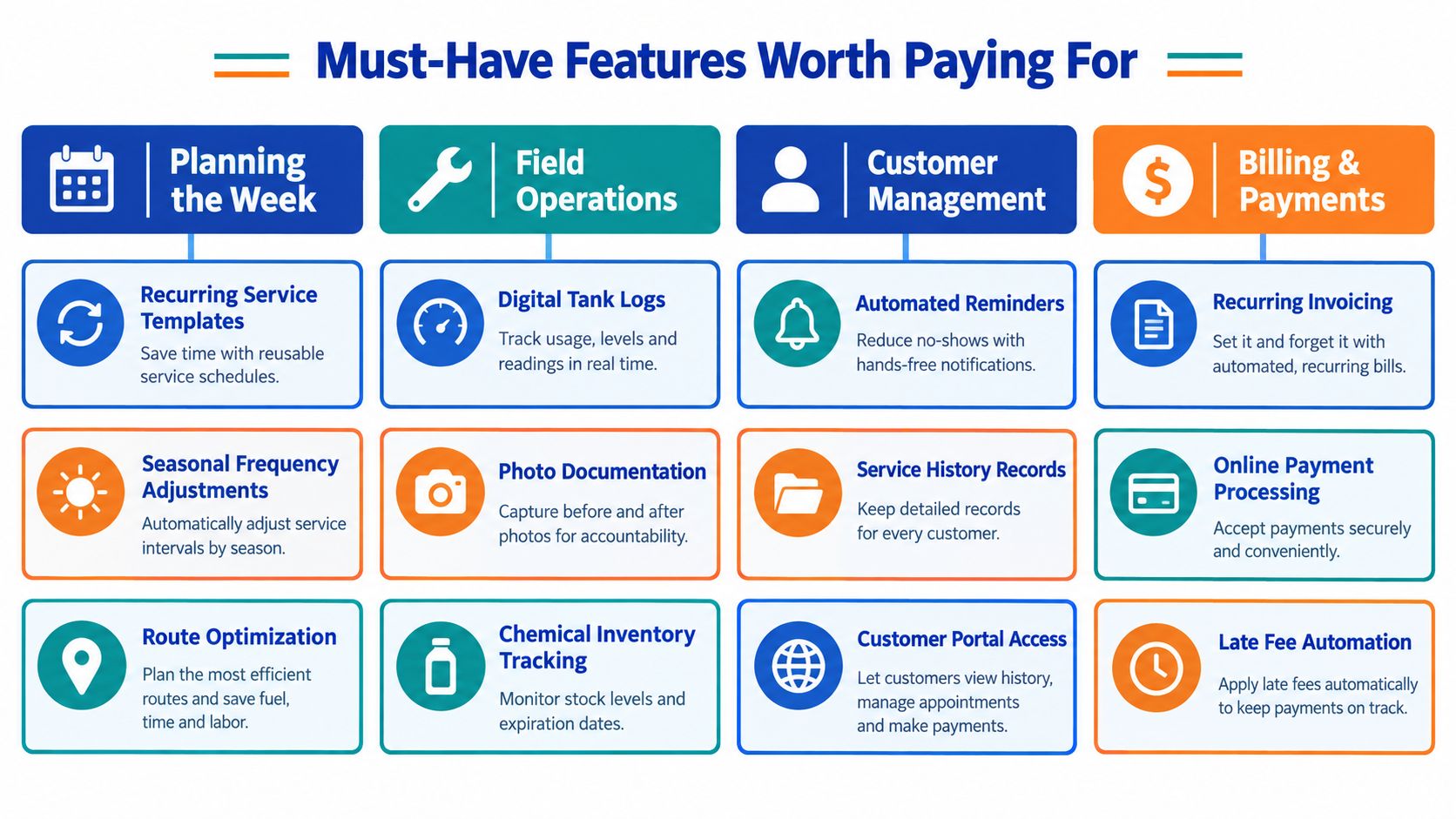
Don't buy software by counting features. Group capabilities by the work they need to improve: planning the week, running the route, proving the work, and getting paid. If a vendor's demo looks polished but can't show how a technician records a visit from a phone, keep looking.
Plan the week and run the route
Recurring service templates are essential. Your system should handle repeat visits and let you adjust frequency when the season changes, without rebuilding customer schedules by hand. It should also preserve customer time-window preferences and flag conflicts before they turn into missed stops.Route sequencing deserves close scrutiny. Pool routes are geographically distributed, and an optimizer needs to account for service duration, technician availability, traffic, and customer windows. A field-service routing study described in a pool-automation discussion reported an approximately 16% reduction in travel time in a real-world technician-routing instance; the same source notes technicians can spend as much as 20% of available work hours on travel and paperwork (pool route automation and field-service routing discussion). Treat those figures as context, not a promise for your business. Test route recommendations against actual drive-time and time-clock records, and make sure managers can recalculate a route after cancellations or emergency repairs.
For teams comparing scheduling capabilities beyond pool-specific platforms, find scheduling software for high-volume teams and check whether its recurring-job logic fits residential routes. The label “high volume” doesn't guarantee that the tool understands pool work.
Prove the work and get paid
A completed job needs more than a checkbox. Look for required water-test fields, chemical quantities, equipment notes, timestamped photos, and customer sign-off. Those records help managers coach technicians and answer disputes with evidence, not memory. A practical way to standardize the visit record is to start with project documentation templates, then make sure your software can capture the same information in the field.
Billing should follow naturally from completed work. Branded invoices, card-on-file or autopay options, and clear overdue-payment reminders are useful because they reduce manual office follow-up. Confirm how credits, chemical charges, and repair work appear on an invoice before you commit.
Skip the feature theater: AI demand forecasting and marketing automation won't rescue a route with weak visit records. First make sure technicians can complete the work order accurately and the office can trace that record to the invoice.
How Pricing Really Works in This Category
A low monthly quote can become an expensive system once you add field users, texts, stored photos, payment fees, or setup work. Compare vendors using the same operating scenario, not their headline price. Ask for the total monthly cost at 10 routes, 25 routes, and 50 routes, and make each vendor spell out the assumptions behind that quote.
| Pricing Model | Common With | Watch For |
|---|---|---|
| Per user | General field-service platforms | Whether office staff, seasonal workers, or read-only accounts count as billable users |
| Per technician | Field-service and pool-specific tools | How the price changes as you add technicians, including part-time or temporary staff |
| Per stop | Platforms that charge by service location or visit volume | What counts as a stop, and whether repairs or extra visits add fees |
| Flat fee | Tools aimed at larger teams or predictable usage | Limits on users, locations, storage, or features hidden behind higher tiers |
Compare the whole bill
Ask vendors to break the quote into the subscription, onboarding, payment processing, messaging, storage, and invoicing. Extra costs can hide in per-invoice charges, photo storage caps, customer SMS fees, or payment surcharges above the processor's standard rate. Don't assume an integration is included just because the vendor says it's available. Ask whether setup, support, or ongoing access costs extra.
Onboarding deserves its own line. Find out whether the vendor will help import customers, recurring schedules, access notes, and historical records, or whether your staff must clean and upload everything themselves. A discount on the subscription won't help if the migration consumes days of office time.
Ask the same questions at every scale
A per-user plan may look attractive while the team is small, then penalize you for adding technicians. Per-technician pricing is easier to understand, but can still turn hiring into a software-cost decision. Per-stop pricing aligns fees with the work being managed, though an unusually busy service period can change the bill. A flat fee may reward a larger operator, provided it doesn't cap locations or essential functions.
Ask each vendor to show the invoice under your current setup and under the route growth you're planning. Have them confirm the contract term, renewal rules, price changes, cancellation process, and data-export options in writing. The best pricing model isn't universal. It's the one whose total cost remains predictable as your route changes.
Calculating ROI Without Guesswork
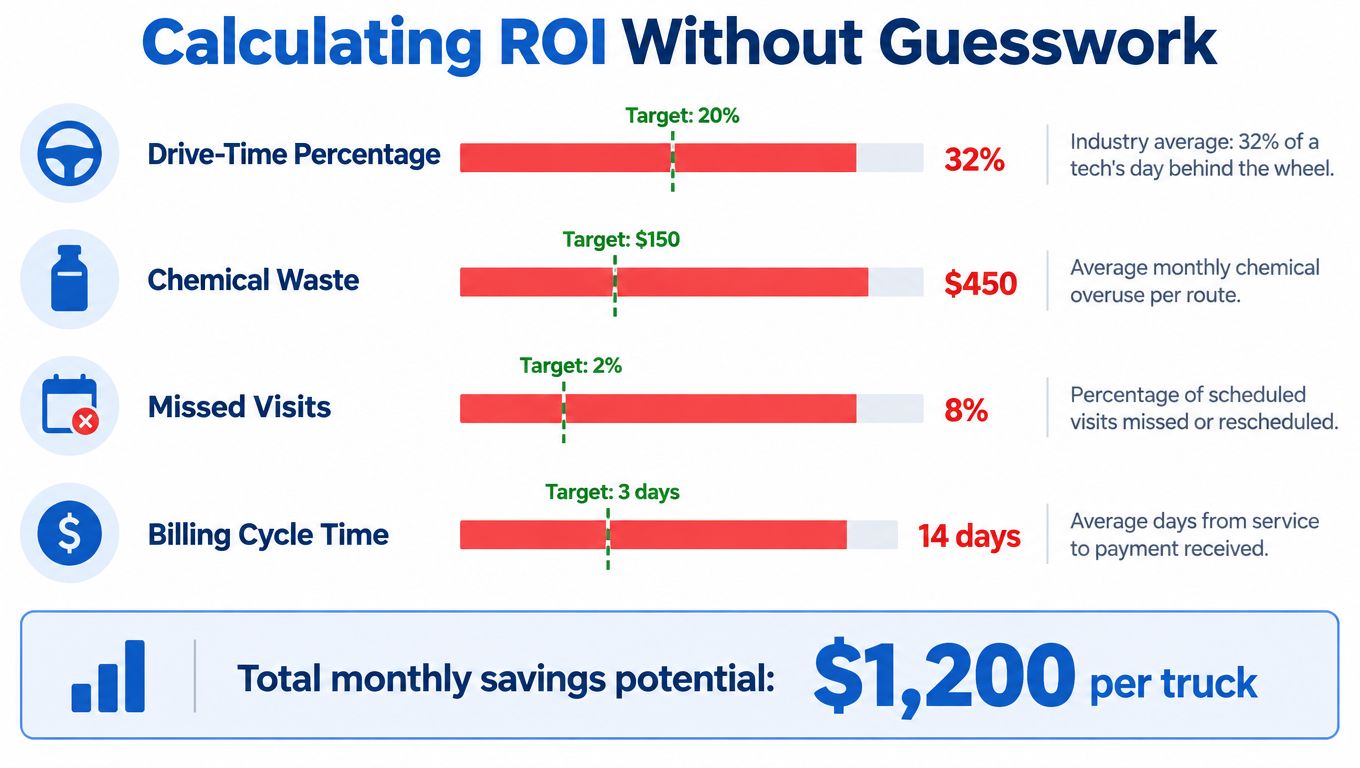
A software demo can make every dashboard look useful. Your operating records decide whether the product pays for itself. Before signing, write down a baseline for the measures that connect directly to labor, cash flow, and rework: drive-time percentage, stops per technician-day, same-day invoice rate, and dispute or callback rate.
Measure changes that affect the route
Compare each measure before and after rollout, using the same route or comparable routes where possible. For drive time, use GPS and time-clock data rather than relying on an optimizer's estimated savings. For stops per technician-day, confirm that additional stops don't come with rushed work, missing readings, or more callbacks.
Same-day invoicing tells you whether completed visits are moving through the office promptly. Dispute and callback rates show whether technicians are documenting work clearly and handling exceptions. If the numbers improve, check the service records to understand why. A lower callback rate is more useful when you know whether it came from clearer technician instructions, better equipment notes, or more complete customer communication.
Count recovered work, not dashboard activity
App logins, dashboard views, and review-request volume are easy to display in a demo. They don't prove that your route became more productive or that the office got paid faster. Track the labor or revenue connected to a specific operational change instead. For example, if better route sequencing reduces dead travel, calculate whether that time became billable work, a shorter day, or additional capacity. Don't count the same recovered hour twice.
Water and visit records can support customer confidence, too. Structured readings, chemical additions, photos, and follow-up notes make service history reviewable. That can help explain a recommendation or resolve a question about what was done. A marketing calculation is a useful companion when evaluating promotional spend, and this marketing ROI formula breakdown can help keep campaign returns separate from operational savings.
For a broader look at where route businesses can identify avoidable expense, use this guide to reduce operational costs. Keep the calculation grounded in your own records:
Payback in months = total software cost divided by monthly savings plus recovered windshield time.
In practice, assign a reasonable value to recovered time only when you can show how the business used it. That discipline keeps a vendor's hypothetical savings from becoming your budget assumption.
A Realistic Implementation Plan
Software changes fail when the office launches it on Monday and expects every technician to adapt by lunch. A workable rollout protects the service day while you clean up customer data, test field tasks, and confirm that the new records reach billing.
Audit, then pilot
Start with a two-week pre-purchase audit. List the recurring tasks currently handled with paper or spreadsheets, identify the readings technicians already collect, and note where customer details live. Decide which accounting and payment tools must remain connected. This gives you a requirements list based on actual work, not the vendor's feature menu.
Then run a two-to-three-week pilot on one route with one technician. Test the complete visit loop: open the job, find access instructions, record readings, take photos, flag equipment issues, notify the customer, and send the invoice. Watch the technician use the workflow in the field. If required fields slow down a routine stop or a weak signal loses data, fix the setup before expanding.
Cut over in stages
Keep the current process available during a four-week parallel cutover, moving routes over one at a time. Parallel tracking gives the office a way to compare schedules and visit records while the team learns the new system. Set a clear rule for which record is authoritative during the transition, or staff will end up updating two systems indefinitely.
Use the first 30 days after launch to tune schedules, remove features nobody uses, and retrain staff on the workflows that matter. Check whether the technician's route, visit record, and invoice remain connected from start to finish. Managers should review exceptions with the people who handled them, not just inspect an end-of-month report.
Budget for the implementation tax
Data cleanup is real work. Customer names may be inconsistent, gate codes may be missing, and old service notes may not match the fields in the new platform. Decide what history is worth importing and what can stay archived, then test the migration before notifying customers.
Changing invoice formats can also confuse homeowners. Explain what the new invoice will look like and how customers can pay, and give office staff a clear response for common questions. A measured rollout takes attention, but it prevents the rushed launch that leaves technicians using the app while the office keeps rebuilding the old spreadsheet.
Integration Choices and Common Pitfalls
A route can look efficient on a dashboard while technicians still lose time and the office cannot verify what happened at each stop. Choose integrations by following a visit from route assignment to technician record, customer report, invoice, payment, and accounting entry. Each handoff should preserve usable information. Gaps create retyping, reconciliation work, and service records that are harder to review when a customer questions a visit.
Make integrations prove their value
Prioritize a payment processor that supports your customers' payment methods and recurring billing. Before committing, review this guide to Stripe payment integration. Choose an accounting connection that fits the office's monthly close, and a mapping provider that gives useful drive-time estimates. Add SMS only after confirming how messages are billed, including whether a long message can incur multiple segment charges.
Proof-of-work tools should tie each service record to the technician who completed the visit. HomeProBadge creates customer-accessible reports from pool-visit photos and chemical readings. If your field-service system is Jobber, connecting Jobber to RecensioAI is one example to examine. Ask what information moves, which direction it flows, and what staff must still enter by hand.
Test chemical tracking in the field, not just in a sales demo. If recording a reading or dose takes too much effort, technicians may skip it or leave the entry incomplete. Check whether a free tier limits routes as your account count grows. Read renewal terms for automatic changes to contract terms or pricing.
Put the exit questions in writing
Get clear answers before signing:
A vendor that avoids direct answers is showing you a limitation. You're buying software that manages route work and its records, so confirm that completed visits remain reviewable and that you can take your data with you if you switch providers.
FAQs Pool Owners Ask Before Buying
Does proof-of-work integration matter on a recurring route?
Yes, if your team needs to show what happened at each stop and make that record available to the customer. A verified visit record can connect technician identity, readings, photos, equipment observations, and follow-up recommendations to completed work. That's more useful than a generic “service complete” notification when a homeowner questions a visit or wants to understand a repair recommendation.
How hard is it to switch from spreadsheets and QuickBooks?
The software setup is usually the easy part. The work is cleaning customer records, checking recurring schedules, preserving useful access notes, and deciding what historical detail to migrate. Ask for a sample export before signing, and test whether customer, invoice, and service data remain readable outside the platform. Keep QuickBooks or another accounting system if it handles your books well; don't replace it just to avoid planning an integration.
What's a believable payback window for a five-truck operation?
There isn't a reliable payback window without your costs and baseline performance. Build the calculation from your actual software quote, drive-time records, invoicing speed, and callback history. If a vendor promises a fixed return without reviewing those inputs, treat the claim as a sales scenario, not your forecast.
Should chemistry tracking live in a separate app?
Keep a dedicated chemistry app if it captures readings accurately and your team relies on its pool-specific tools. But don't accept a record that can't connect to the customer, visit, and invoice. If the general platform handles required readings and lets technicians complete the workflow reliably, fewer disconnected systems may be easier to manage.
HomeProBadge creates customer-accessible pool service reports from visit photos and chemical readings, helping connect field documentation to proof of work. Visit HomeProBadge to see whether verified job records fit the way your team schedules, documents, and communicates service.