

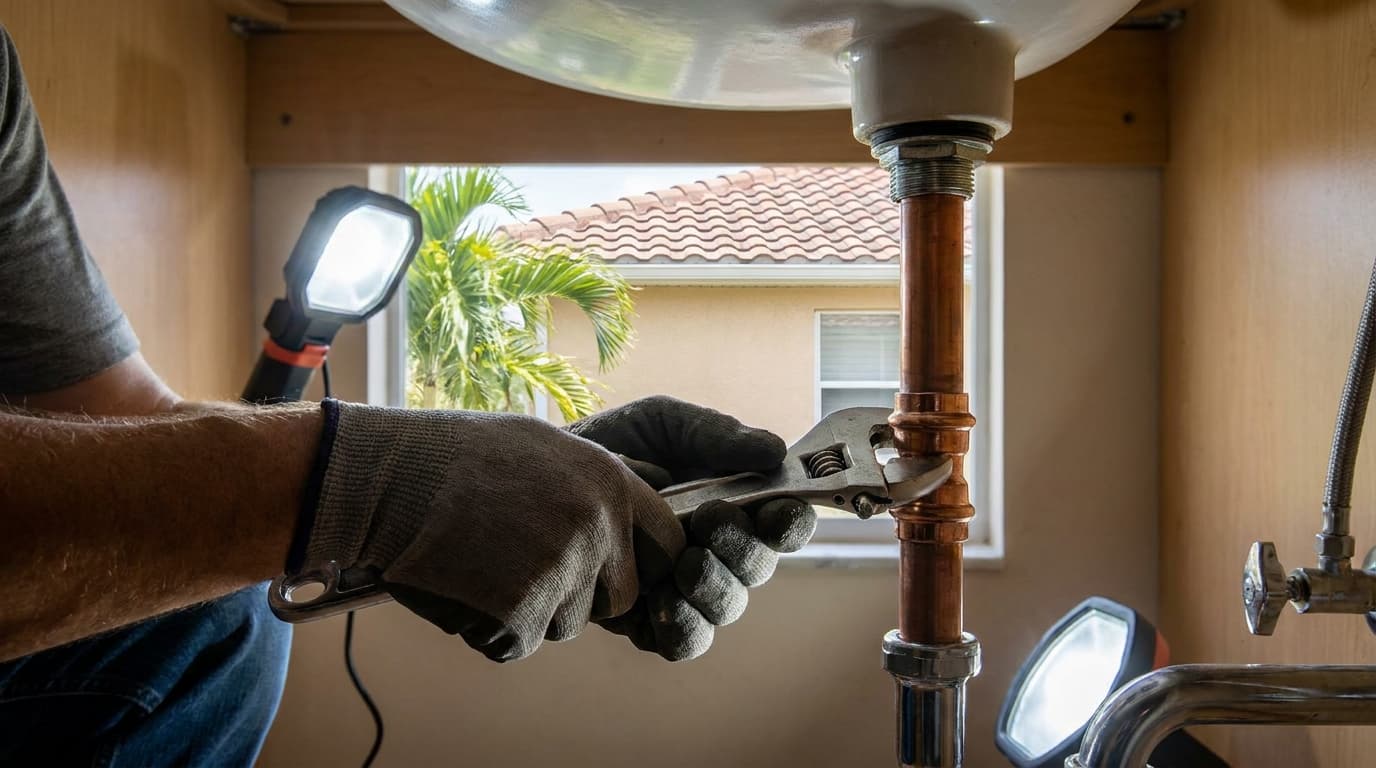

A plumber finishes a water heater replacement, wipes the dust from his gloves, and opens the phone camera. Ten photos show the completed work, the old tank, the new connections, and a clean utility area. The job took real skill. The post still sits unwritten because turning those photos into a credible caption feels like another administrative task.
That's the exact problem AI generated social media posts can solve for contractors. The useful application isn't asking a model to manufacture enthusiasm. It's giving AI verified job evidence, letting it create a draft, and keeping a human responsible for every factual claim. The photo is the receipt. The caption has to honor it.
The Job Site Moment That Kicks Off Every Post
The plumber scrolls through the camera roll and sees several nearly identical images. One shows the full installation, another captures the shutoff valve, and a third shows the finished connections. He knows the neighborhood, the equipment installed, and the work completed, but he doesn't want to type a vague line such as “Another job done right.” He also doesn't want an AI tool adding a warranty, code reference, or equipment feature he never documented.
That hesitation explains why contractor accounts often go quiet. The work happens in kitchens, crawl spaces, attics, and mechanical rooms, while marketing gets postponed until the details are harder to remember. A practical workflow turns the finished job into a small set of usable assets before the truck leaves the driveway.

Proof of work comes before polished copy
Proof-of-work means the post begins with evidence tied to a real project. That evidence can include the before photo, the completed installation, a service note, an invoice, or a customer-approved testimonial. AI can organize those inputs and suggest language, but it shouldn't fill gaps in the record.The plumber might provide a simple brief:
The resulting caption can sound professional without pretending to know more than the source file contains. That distinction matters because a polished sentence can still create an inaccurate promise.
Practical rule: Treat the image as evidence and the AI caption as an interpretation that needs approval.
The goal isn't to publish every completed job. It's to make posting routine enough that good work doesn't disappear from public view. A repeatable process can turn a wrapped job into scheduled, trust-building content in under fifteen minutes, provided the contractor captures the facts first and reviews the draft afterward.
Building the Photo to Post Workflow
A reliable workflow separates fieldwork from drafting. The contractor captures and labels the evidence. AI handles the repetitive writing. The contractor approves what goes public.
1. Capture from consistent angles
Take a wide image that shows the work in context, a mid-range image that makes the installation easy to understand, and a detail image that shows workmanship. Three to five photos are usually enough for a useful post, but the right count depends on the job and the visual proof available.
Avoid photographing customer names, addresses, paperwork, faces, or identifying details unless you have permission. Before leaving, check that the images are sharp and that the finished area is visible without relying on a heavy filter.
2. Select and store the source material
Move the approved photos into a project folder or job management app rather than leaving them buried in a personal camera roll. Add the job type, general location, completion date, and a short factual note. A folder named for the project can hold the original images, invoice, service notes, and final caption.
Contractors who want a deeper documentation process can use this construction photo documentation guide to standardize what gets captured and retained.

3. Generate a constrained first draft
Give the AI the selected photos and the verified notes. Ask for a caption that uses only those details. Include the platform, desired tone, service area, and a clear instruction such as, “If a fact isn't in the notes, leave it out.”
The AI can produce several versions from the same source material. It can also identify the strongest visual, suggest a useful opening, and adapt the language for a homeowner audience. It shouldn't decide whether an unverified claim is safe to publish.
4. Restore the contractor's specifics
Read the draft against the invoice and service record. Replace generic descriptions with the actual part name, equipment type, city, and documented work. If the draft says “upgraded efficiency,” remove it unless the records support that wording.
The human handoff is deliberate. AI sees the approved inputs and proposes language. The contractor supplies the facts and rejects anything that goes beyond them.
5. Run the final edit and publish
Send the caption through a short quality check before scheduling it. Review the image for privacy, verify every named detail, read the copy aloud, and confirm that the call to action matches the service being offered.
For a visual reference, place the finished asset beside the source notes before approval. That simple comparison catches more problems than another round of creative prompting.
Matching Caption Style to Each Platform
The facts should stay fixed while the presentation changes. A water heater replacement can become a neighborly update on Nextdoor, a visual hook on Instagram, or a process lesson on LinkedIn. The AI prompt should describe the platform's native style, not ask the model to invent a different result.
Use the same approved before-and-after photo pair and the same factual brief for every version. For example, the source might state that the contractor replaced an old water heater in a named city, completed the documented connections, and received permission to share the project images. If those facts aren't in the brief, they shouldn't appear in any version.
One job, several native formats
Facebook gives the contractor room to tell a short story. Ask AI for a warm local caption, a question for homeowners, and a city reference. The question might invite readers to share how old their water heater is, without turning the post into a fear-based warning. Instagram needs the strongest visual first. Request a hook line, a compact caption, and relevant hashtags tied to the service and location. The contractor should review every hashtag because broad or inaccurate tags can attract the wrong audience. Nextdoor works better as a neighbor-to-neighbor note. Tell AI to remove hashtags, avoid sales language, and write as though the contractor is explaining what was completed nearby. Google Business Profile should make the service and location clear. Ask for a concise local update using the documented service phrase and city, while avoiding unsupported claims about savings, urgency, or guarantees. LinkedIn can frame the job as an operating lesson. The prompt might ask for a short paragraph about preparation, communication, or quality control, positioning the contractor as a business owner without making the post sound like a corporate announcement. YouTube Shorts needs two assets rather than one caption. Ask AI for brief on-screen text that matches the image sequence and a voiceover script that describes only the documented transformation.Platform Caption Style Comparison
| Platform | Tone | Length | Hashtags | CTA |
|---|---|---|---|---|
| Local and conversational | Story-length | Limited and relevant | Ask a homeowner question | |
| Visual and energetic | Short caption | Relevant service and location tags | Invite a message or profile visit | |
| Nextdoor | Neighborly and plainspoken | Compact | None | Invite local questions |
| Google Business Profile | Search-friendly and factual | Concise update | Usually unnecessary | Request an estimate or call |
| Professional and process-focused | Short paragraph | Selective | Invite discussion about the trade | |
| YouTube Shorts | Direct and visual | On-screen text plus voiceover | Optional in description | Encourage viewing or contact |
The prompt changes, but the source file doesn't. That consistency protects the contractor from publishing six different versions of the same job with conflicting details.
The Two Minute Human Edit Before You Publish
An AI draft is a first pass, not a finished advertisement. The contractor's review should be fast enough to happen beside the truck, but structured enough to catch the errors that sound plausible.
Use a fixed verification grid
| Line in Draft | What to Verify | Source of Truth | Final Action |
|---|---|---|---|
| Part name or model | Confirm the exact equipment or component | Invoice and service record | Keep, correct, or remove |
| Location | Protect the customer's privacy | Job file and permission record | Use a city or broad area |
| Price or offer | Check the amount and conditions | Approved pricing record | Correct or delete |
| Warranty or code language | Confirm the company actually offers or completed it | Written company records | Replace with documented wording |
Start with named facts. AI can turn a generic note into a specific-sounding sentence, and that specificity may be wrong. Check the equipment name, model number, price, date, job number, and any reference to permits, licensing, insurance, warranties, or code compliance.

Check privacy and voice
A before photo can reveal a recognizable home even when the caption uses only a broad location. Crop, blur, or replace the image if the customer hasn't approved that level of exposure. Don't assume a completed job automatically gives permission to publish the property.
Then read the opening line aloud. Phrases such as “we're thrilled to deliver exceptional solutions” don't sound like most tradespeople on a job site. Replace brochure language with a direct description of the work, such as the problem addressed and what the finished image shows.
Remove the language you can't defend
AI may add reassurance because marketing copy often rewards confidence. A contractor should remove any claim that can't be traced to an invoice, service record, approved offer, or customer permission.
The final check is simple. Read the caption once for facts and once for flow. If the post says exactly what the photos prove, protects the homeowner, and sounds like the business, it's ready to schedule.
Scheduling and Cross Posting Without Losing Reach
Scheduling works best as one editorial rhythm rather than a pile of duplicate uploads. Start with one approved source asset, then create platform-specific versions that preserve the same facts while changing the opening, structure, and call to action.
Native scheduling tools can help keep the approval process close to the account. Meta Business Suite, LinkedIn's own publishing tools, and Google Business Profile workflows each require their own review habits. Contractors who need a practical overview of LinkedIn's options can consult this LinkedIn scheduling guide, then apply the same source-control principle to every platform.
Cross-Platform Posting Rhythm
| Platform | Post Format | Delay After Previous Post | Key Adjustment |
|---|---|---|---|
| Local story and question | Publish first | Add context and a conversational prompt | |
| Photo-led caption or Reel | 30 to 90 minutes | Lead with the visual and use focused tags | |
| Process lesson | 30 to 90 minutes | Highlight the business or workmanship lesson | |
| Google Business Profile | Local service update | 30 to 90 minutes | Use the documented service and city |
| Nextdoor | Neighborly project note | 30 to 90 minutes | Remove promotional phrasing and hashtags |
| YouTube Shorts | Short video with voiceover | Same day, after still-image posts | Turn the photo sequence into a visual narrative |
Avoid copying the identical caption everywhere. A Facebook story pasted into LinkedIn can feel out of place, while a keyword-heavy profile update may sound unnatural in a neighborhood feed. Feed the same approved facts into separate prompts and ask for the native format.
A scheduler should also preserve the asset's context. Keep the original photos, final captions, approval status, and publication links together. The contractor can then reuse the approved visual in a Story or Reel without losing track of what was documented.
For teams building a more automated queue, this overview of automatic social media posting provides relevant context. Automation saves time only when the approval gate remains intact.
What AI Quietly Changes in Your Message
AI doesn't only shorten sentences or fix grammar. It can change the tone, specificity, and apparent promise of a post. A rough note that says “replaced the damaged valve” may become “restored dependable performance,” which sounds harmless until readers interpret it as a guarantee.
That semantic drift is a real risk for contractors. A 2026 Oxford-linked study reported that large language models systematically changed the direction of social media posts on contested topics, even when instructed to preserve the original stance, as described in this Oxford-linked analysis of LLM message changes. The lesson applies beyond politics. A rewriting system can soften, intensify, or redirect a business claim without announcing that it has done so.
Polished language can erase useful evidence
Models often prefer smooth marketing phrases over the imperfect details that make a job credible. They may remove trade terminology, replace a specific repair with “service,” or add familiar reassurance such as “licensed and insured” when that information wasn't supplied.
Over time, the feed starts to sound like every other contractor account. Homeowners see polished claims but have less ability to connect the words to the actual work shown.
The safest AI caption is not the most impressive one. It's the one a contractor can trace back to the job file.
Keep a source file for each published post. Store the original photo, invoice or service note, customer permission, final caption, and exact prompt. That record makes review easier and gives the company a defensible trail if a customer questions a claim later.
Protect the proof from synthetic polish
Before-and-after images should show real work, not an AI-created substitute. Avoid prompts that ask image tools to add cleaner finishes, missing components, dramatic lighting, or visual details that weren't present on the job. Contractors exploring visual software can review this guide to top image creation tools for sales, but any generated visual should be clearly separated from proof-of-work photography.
The central distinction is simple. AI may help present verified evidence. It shouldn't manufacture evidence, conceal uncertainty, or turn a limited repair into a broader promise.
Measuring Results and Scaling What Works
A contractor's social program should eventually answer a business question: which posts help real homeowners take the next step? Likes and reactions can indicate attention, but they don't prove that someone requested an estimate or booked service.
Start by mapping each post to a specific job and content type. Use categories such as proof-of-work, educational explanation, seasonal offer, customer review, or team introduction. Record the platform, service area, call to action, profile visits, link clicks, inquiries, estimate requests, and booked jobs when those figures are available.
Post Performance Tracker
| Metric | What It Measures | Predicts Booked Jobs? | Action Threshold |
|---|---|---|---|
| Likes and reactions | Passive attention | Weakly, on their own | Keep as a context signal |
| Comments | Active discussion | Sometimes | Review the question and topic |
| Profile visits | Interest in the contractor | More useful than reactions | Compare with contact actions |
| Link clicks | Intent to learn or inquire | Useful when tracked | Keep source and destination consistent |
| Estimate requests | Commercial interest | Stronger signal | Tag the originating post |
| Booked jobs | Revenue-producing outcome | Direct business result | Reuse the content pattern responsibly |
The AI caption itself should be part of the record. Note whether the post used a short hook, a process explanation, a before-and-after format, or a customer question. Over time, the contractor can compare caption patterns with inquiries instead of promoting whatever received the most passive attention.
Review once a week
Pull the available analytics and annotate each post. Look for repeated signals, such as homeowners responding to practical maintenance explanations or visiting the profile after seeing a clear installation photo. Don't assume a high-engagement post produced work if the contact path wasn't tracked.
Promote the strongest patterns into reusable templates. A plumber might keep one template for equipment replacements, an HVAC company another for seasonal diagnostics, and a roofer a third for repair documentation. Each template should contain required source fields and prohibited assumptions, not just a catchy writing prompt.
Scale the approval system, not the risk
A virtual assistant can prepare folders, check that required fields are present, and queue drafts once the contractor has defined the approval rules. The owner or qualified manager should still approve claims involving prices, warranties, permits, safety, licensing, insurance, or customer testimonials.
A team workspace becomes useful when several people create or review posts and need a shared record of approved assets. Automation should pause when the business lacks current source notes, when work slows and seasonal messaging needs a fresh strategy, or when staff can't review drafts reliably.
Contractors who want to connect verified work, reputation, and content can review social media marketing for contractors. The practical next step is to choose one completed job from the last two weeks, collect its photos and records, run the job through this workflow, and compare its profile visits, inquiries, estimate requests, and booked work within thirty days.
HomeProBadge turns job photos into platform-specific social posts while connecting the content to proof-of-work, verified reviews, and a public professional profile. Visit HomeProBadge to upload one completed project, review the generated captions, and build a safer posting workflow around evidence your customers can trust.