

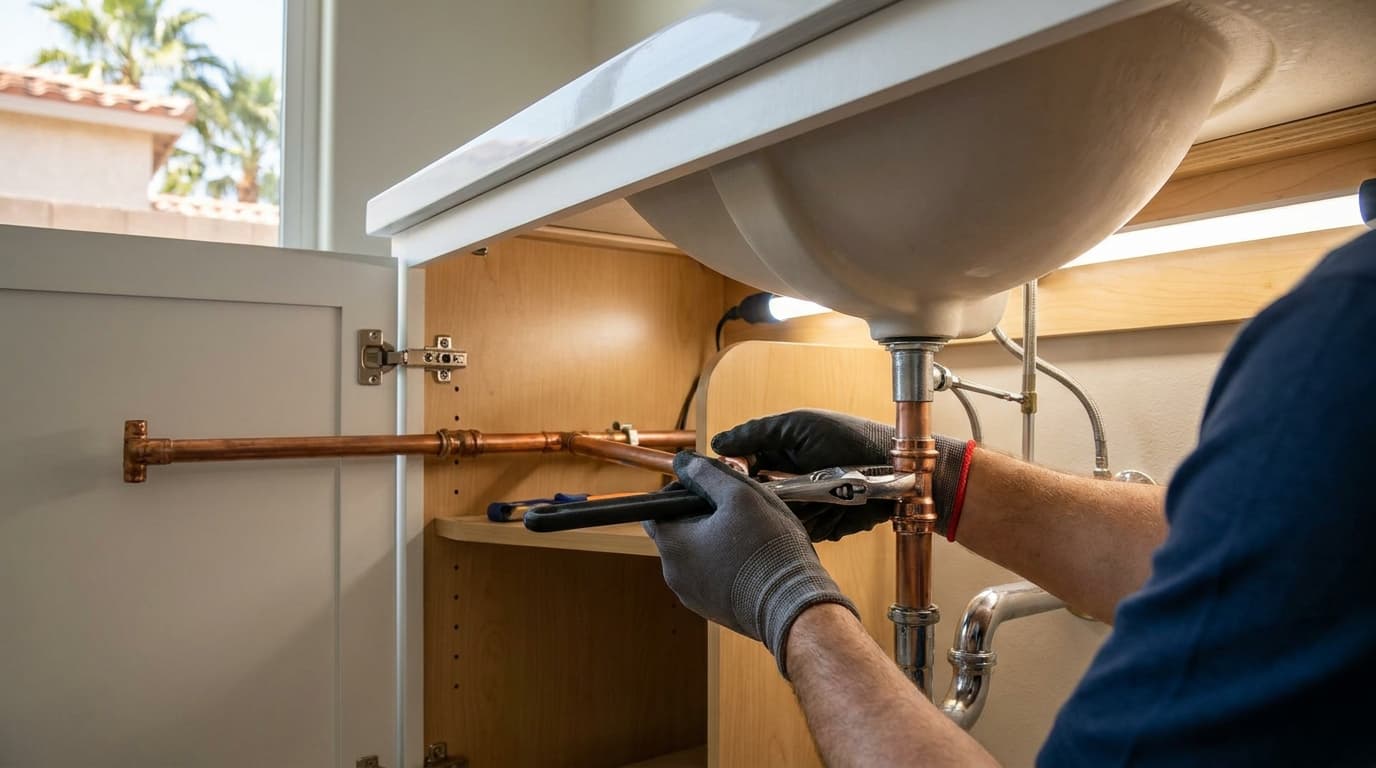

The truck is still warm, the customer has just walked through the finished work, and your phone is packed with before-and-after photos. You've got twelve shots from the old shower, nine from the completed install, a voice note about the plumbing surprise behind the wall, and no time to turn any of it into a post.
That evidence is where AI content creation should begin. Not with a blank chatbot window and a prompt like “write a Facebook post for a plumber.” Generic inputs produce generic marketing. Job details produce proof.
ze](#phase-three-optimize)
- X
- TikTok
- Pass two changes the presentation
- Pass three builds search content
- Pass four requests the review
Where AI Content Creation Starts for Home Service Pros
A finished job contains more useful marketing material than most contractors realize. The old material, the access problem, the repair decision, the customer's question, and the clean final result can become a service explanation, a local search post, a review request, and a short video script.
Take a slab leak repair in Lakewood, Colorado. The plumber photographs the cracked copper line, records the moisture meter reading in the job notes, and dictates a quick summary while packing up: the leak was under the slab, the affected area was isolated, and the homeowner wanted to understand why the repair method was chosen. The homeowner's relief after the water was restored is part of the story too, but it shouldn't be exaggerated.
AI can organize those details into usable drafts. It can't confirm whether the pipe was copper, identify the correct fitting, or know whether a claim about local code is accurate unless you provide verified information and check the result yourself.
Practical rule: The job site is your source material. AI is the drafting assistant.
That approach lines up with the broader pattern described in AI content scaling for HVAC pros, where the useful application is increasing content output without removing professional judgment. The same principle applies to plumbing, electrical, roofing, painting, and every other local service.
Before you leave each job, capture:
Good documentation matters beyond marketing. Contractors can use the construction photo documentation guide to build a repeatable record instead of relying on a phone gallery full of unlabeled images.
The Four-Phase AI Content Workflow
A dependable system has four phases: plan, draft, optimize, and publish. Keep the phases separate. Planning prevents random posts, drafting turns evidence into language, optimization improves discoverability, and publishing packages the approved material for each channel.

Phase one plan
Use voice input while you're still in the driveway. Speak the job note instead of trying to type it with dirty hands.
```text
You are a local home-service content planner. Use this verified job note:
[PASTE ONE-LINE JOB NOTE]
Create a five-post content calendar for [BUSINESS NAME] serving [CITY OR SERVICE AREA]. Give each post a different angle, a short hook, the recommended platform, one customer question it answers, and relevant hashtags. Use only facts in the job note. Mark missing facts as [VERIFY]. Keep each post idea under 60 words.
```
Inputs: One verified job note, service area, business name. Expected output: Five post ideas, each under 60 words.Never skip the fact boundary. If the note doesn't mention a warranty, permit, savings figure, or completion time, the model must not add one.
Phase two draft
Your photos and field notes do the heavy lifting. Describe each image if your AI tool can't inspect uploads.
```text
Write three caption versions from the verified job information below.
Job:
[PASTE VERIFIED JOB NOTES]
Photo 1:
[DESCRIBE BEFORE PHOTO]
Photo 2:
[DESCRIBE WORK IN PROGRESS]
Photo 3:
[DESCRIBE AFTER PHOTO]
Version A should be technical for property managers.
Version B should be homeowner-friendly.
Version C should be concise for a Google Business Profile post.
Use only supplied facts. Do not invent prices, timelines, code claims, guarantees, or customer quotes. Flag anything uncertain as [VERIFY].
```
Inputs: Three photo descriptions, job notes, audience. Expected output: Three captions, generally between 80 and 150 words each.Desktop work is better for comparing the draft against the original photos, invoice, and service report. The homeowner-friendly version still needs technical accuracy. Plain language doesn't mean vague language.
Phase three optimize
Optimization should clarify the service and location, not stuff awkward keywords into every sentence.
```text
Rewrite this approved caption for local search.
Caption:
[PASTE APPROVED CAPTION]
Primary service:
[ENTER SERVICE]
City:
[ENTER CITY]
Create:
Keep the voice direct and professional. Don't add facts, service areas, prices, promotions, or claims not present in the original caption.
```
Inputs: Approved caption, service, city. Expected output: One revised caption, one keyword cluster, one meta description.Phase four publish
Publishing includes accessibility and follow-up, not just pressing “post.”
```text
Using the approved caption and verified job notes below, create:
Job notes:
[PASTE VERIFIED NOTES]
Approved caption:
[PASTE APPROVED CAPTION]
Don't describe anything absent from the photo. Don't promise an outcome, invent a quote, or imply the customer endorsed wording they didn't provide.
```
Inputs: Approved caption, verified notes, selected photo. Expected output: Four short publishing assets.Tools vary by channel, and broader creator workflows are covered in resources such as top AI tools for YouTube creators. For home service work, tool choice matters less than keeping the original evidence attached to every draft. You can also review how AI-generated social media posts fit into a human approval process.
Platform-Specific Caption Examples From One Job
One job can support several posts, but copying the same caption everywhere makes the business look careless. Use one factual master record, then change the opening, length, rhythm, and audience for each platform.
Assume the job was a cast iron drain replacement in Tampa. The verified notes say the old drain section had failed, the replacement addressed the affected section, the work area was restored, and the photos show the old pipe and completed installation. No permit number, price, or timeline appears in the source notes.
| Platform | Caption Length | Tone | Key Adjustment |
|---|---|---|---|
| Longer | Neighborly and explanatory | Adds context, a question, and a local conversation prompt | |
| Short | Visual and energetic | Uses line breaks, emojis, carousel order, and niche hashtags | |
| Medium | Professional | Focuses on asset protection and a lesson for property managers | |
| X | Brief | Direct | Compresses the repair into one point and invites replies |
| TikTok | Spoken script | Demonstrative | Turns the sequence into on-screen beats and voiceover |
A failed cast iron drain can create a problem long before the damage is obvious. On this Tampa replacement, we documented the old section, removed the failed portion, installed the replacement, and restored the work area.
The useful lesson is simple: don't ignore recurring drain trouble just because the water still moves. What plumbing issue keeps coming back in your neighborhood? Tag a Tampa homeowner who should see this before a small warning becomes a larger repair.
Changed from the master: More explanation and a question. Facebook gives the contractor room to teach and invite a local response.Old cast iron drain out.
Replacement section installed.
Work area restored. 🛠️
Swipe through the repair from failed section to finished work.
#TampaPlumber #CastIronDrain #DrainRepair #PlumbingRepair #HomeMaintenance #PlumbingWork #TampaHomes #PipeRepair #HomeServicePros #BeforeAndAfter
Changed from the master: The caption is built around a carousel. The photos carry the detail, while short lines and focused hashtags make the sequence easy to scan. For more patterns, use these social media caption examples as a reference point, then replace generic wording with your own job evidence.A cast iron drain replacement is also an asset-management decision. For property managers, documenting the failed section and completed repair creates a clearer record for maintenance planning and future conversations with owners.
This Tampa project reinforced a practical lesson: the strongest service updates explain what changed, show the work, and preserve the details needed later.
Do not post as-is: If your draft includes a permit number, verify it against the permit record before publishing. A specific number creates confidence only when it's correct.X
Caption:This Tampa cast iron drain failed, so we documented the old section, replaced the affected portion, and restored the area. What recurring drain problem are you seeing? #Plumbing
Changed from the master: The post keeps one lesson and one reply prompt. It avoids stuffing the entire service report into a short feed.TikTok
On-screen text and voiceover:“Old cast iron drain.”
“Failed section removed.”
“Replacement installed.”
“Area restored.”
“Recurring drain trouble? Get it checked before the damage spreads.”
Caption overlay directions: Show the old pipe first, the work in progress second, and the finished installation last. Keep customer information, addresses, and unrelated personal items out of frame.The master record stays the same. The presentation changes because each platform rewards a different viewing habit.
Repurposing One Upload Into a Full Content Week
You don't need five separate writing sessions. Upload one organized job packet, then run controlled repurposing passes against the same facts.
Start with a batch of before-and-after photos and a short voice note. The voice note should identify the service, city, problem, work completed, materials, customer question, and anything you're explicitly not allowed to claim. If the customer hasn't approved identifiable photos, crop or blur them before uploading.

Use this prompt as the control sheet:
```text
Here are [NUMBER OF PHOTOS] from a [SERVICE] in [CITY].
Verified job notes:
[PASTE NOTES OR TRANSCRIBED VOICE NOTE]
Specifics to mention:
[LIST MATERIALS, MODEL, DIAGNOSTIC FINDING, CUSTOMER QUESTION]
No-go claims:
[LIST CLAIMS TO AVOID, SUCH AS PRICE, WARRANTY, GUARANTEED TIMELINE, UNVERIFIED CODE LANGUAGE]
Create these separate outputs:
Use a direct, trades-professional voice. Label every uncertain detail [VERIFY]. Do not invent quotes, statistics, prices, permits, service areas, or outcomes.
```
Pass one creates the record
The service report becomes the factual spine. Keep it close to the invoice and job notes. It can support a Google Business Profile update, an email recap, or an internal archive.
Pass two changes the presentation
Generate the five captions separately. Don't ask for “one caption for all platforms.” Each channel needs its own length, opening, and call to action, as the previous examples show.
Pass three builds search content
Ask for an outline before a full article. The outline should include the service, city, customer problem, diagnostic explanation, completed work, and homeowner questions. A human should add local knowledge and verify every technical statement before publication.
Pass four requests the review
Tie the message to the actual job. “How did we do on your water heater replacement?” is more credible than a vague request to “leave us a review about your experience.”
A practical way to transform content across platforms is to preserve one source record and create channel versions from it, rather than rewriting facts from memory.
Tag the original upload with a job code, service type, and city. That makes the asset searchable when the same seasonal question comes back later, without pretending an old project is a new one.
Quality Checks That Keep AI Content Trustworthy
AI output often sounds polished before it's accurate. That's why the contractor should remain the editor and final approver, not just the person who presses publish.
A 2025 Ahrefs analysis found that 87% of marketing professionals use AI for content creation, and teams using AI published a median of 17 articles per month versus 12 for teams not using it, according to HubSpot's summary of the analysis. The same analysis found that 97% of companies edit or review AI-generated content before publishing, which supports a practical conclusion for contractors: use AI to accelerate drafting, then review every claim.
A separate 2023 randomized controlled trial reported that access to ChatGPT helped professionals finish everyday writing tasks 40% faster and produce output rated 18% higher in quality, as described in the Science study. Speed doesn't remove the need for field verification.

Run this checklist before anything goes live:
Common failures deserve a separate scan. AI may invent service areas, create fake discount expirations, or promise a timeline the crew never gave the customer. Global survey data summarized in KPMG's trust report found that 70% of people are unsure whether online content can be trusted because they can't tell whether it's real or AI-generated, while 64% are concerned about AI-powered manipulation. Show the human layer through accurate details, clear attribution, and careful review.
Measuring Results Beyond Post Count
Publishing more captions isn't the business goal. A post earns its keep when it helps a homeowner find you, trust you, call you, submit a form, or remember your company when the next repair appears.
Track outcomes with tools you already have. Google Business Profile insights, Google Search Console, your call log, booking records, and a simple spreadsheet can reveal more than a dashboard full of impressions.
| KPI | How to Measure |
|---|---|
| Phone calls from Google Business Profile posts | Add a distinct tracking path or ask callers how they found you |
| Form submissions from a blog URL | Use a unique campaign URL and compare form records |
| Booked jobs mentioning a social post | Ask one question during booking: “Which post or page brought you to us?” |
| Branded search activity | Review branded queries in Google Search Console each month |
| Local directory citations | Record where the business appears and whether the information is accurate |
| Reviews after AI-assisted requests | Compare completed work records with new reviews mentioning the service |
Use a dedicated Google Business Profile post link when possible. If you use a unique phone number, make sure calls still reach the right team and that the number is recorded consistently. A one-question booking survey works well for small crews because it takes seconds and captures information analytics often miss.
What to log every month
AI can save drafting time, but the business value lives in booked work and verified trust signals, not in the number of captions sitting in a folder. A monthly review also exposes weak inputs. If the posts sound generic, the problem may be missing job details rather than the writing tool.
Review the numbers on a 30-day cadence. Keep the content that produces qualified conversations, revise the prompts behind weak assets, and stop publishing formats that create work without a measurable response. The goal isn't a busier content calendar. It's a cleaner line between real work, credible proof, and local demand.
HomeProBadge helps home service professionals turn verified job photos into platform-specific captions and polished job reports while keeping trust details tied to real work. Visit HomeProBadge to organize your proof of work, strengthen your public profile, and build content from jobs you completed.