



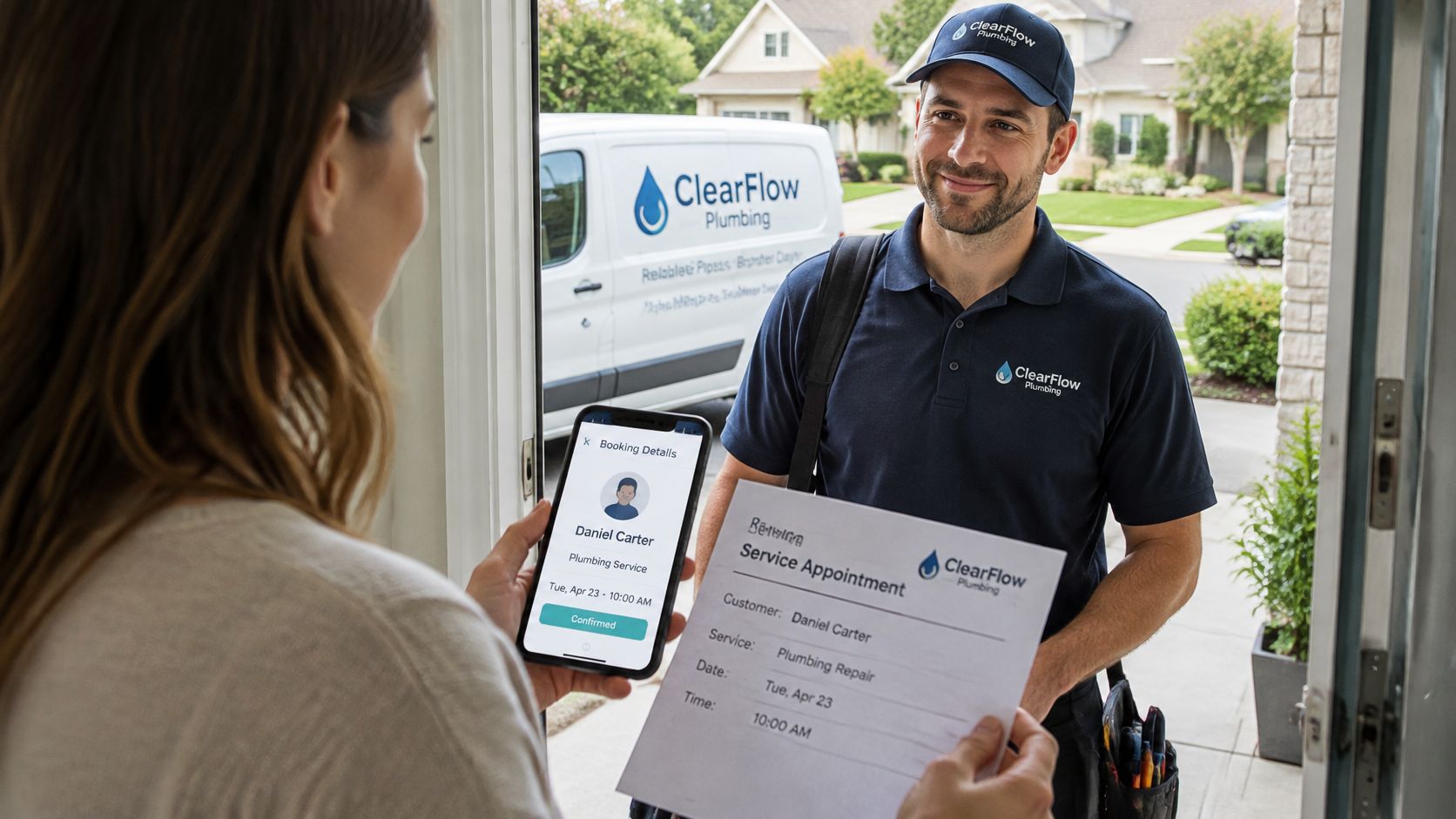
A plumber's van is parked outside, and the person at your door says they're there for the appointment you booked. But the booking is under another name. Before you let them in, you need to know whether the person standing there is the professional you hired, not just someone with a plausible story.
Why Identity Verification Solutions Matter in 2026
Identity verification means confirming that a person is who they claim to be by linking them to a real identity record before extending trust. A booking profile, a photo of an ID, and the person at the doorstep are three different pieces of evidence. A reliable process connects them.The risk isn't limited to home services. Veriff's 2025 Identity Fraud Index found that 5% of the identity-verification attempts it analyzed in 2024 were fraudulent, while overall online fraud increased 21% year over year (Veriff's 2025 Identity Fraud Index). Those figures help explain why businesses want stronger checks, but a stricter process can also create problems if it blocks legitimate professionals who can't get a clear photo or whose records don't match neatly.
A good system has to balance two needs: stop impostors and avoid excluding genuine users through unnecessary friction. That means choosing checks for the risk involved, rather than making every applicant complete the same process.
The main approaches are document checks, biometric matching, database matching, and KYC, or “know your customer,” screening. They answer different questions, so most identity verification solutions combine methods rather than relying on a single tool. For a homeowner, the practical question is which combination provides a credible check for the job being booked, and which further checks are needed before the professional arrives.
How Each Verification Check Works and Where It Fails
Each method answers a different question. Document checks ask whether the document is genuine. Biometric matching asks whether the person present resembles the ID photo. Database matching asks whether the claimed details appear in an authoritative record. KYC combines identity checks with risk screening and ongoing monitoring.
| Approach | What It Confirms | Main Weakness | Best Fit |
|---|---|---|---|
| Document checks | The document is genuine and valid | Forgeries and genuine documents used by someone else | Onboarding any user who has a photo ID |
| Biometric matching | The person present matches the ID photo | Spoofing when liveness is weak; false rejections from poor cameras or lighting | Remote onboarding where the person must match the document |
| Database matching | Name, date of birth, and address appear in an authoritative record | Records can be outdated, incomplete, or limited to one jurisdiction | Confirming licenses, registrations, and address history |
| KYC (know your customer) | Who the customer is and how much risk they pose | Costly and slow when every check runs on every user | Regulated finance and high-value accounts |
Document checks, like examining a banknote
A bank teller holds a banknote to the light to look for signs it's genuine. That doesn't prove who handed it over. Document verification works the same way: it examines the evidence, not necessarily the person holding it.
A basic document check usually follows these stages:
Even a genuine ID can be used by someone other than its owner. That's why document checks are stronger when paired with a face match or another ownership check.
Database matching and KYC
Database matching is like calling the issuer to confirm a reference. The system checks details such as name, date of birth, address, or license number against an authoritative record. Results depend on the record's coverage and freshness, and on whether it covers the relevant state or country.
KYC is the broader file: identity evidence, sanctions and watchlist screening, a risk assessment, and periodic re-screening. It's designed for contexts where a business needs to understand more than whether a document looks authentic.
A platform may also run a separate contractor background check, but a background result doesn't replace identity proof or establish the quality of someone's work.
Choose the first checks based on the weakness that matters most for the transaction, not just which tool returns a result fastest. Most practical systems layer two or three methods to cover each other's blind spots.Biometric Matching and Liveness Checks Explained
A doorman comparing someone's face with a photo has two jobs. First, they must decide whether the face belongs to the person in the picture. Second, they must make sure they're looking at a live person, not a printed photo held up to the glass.
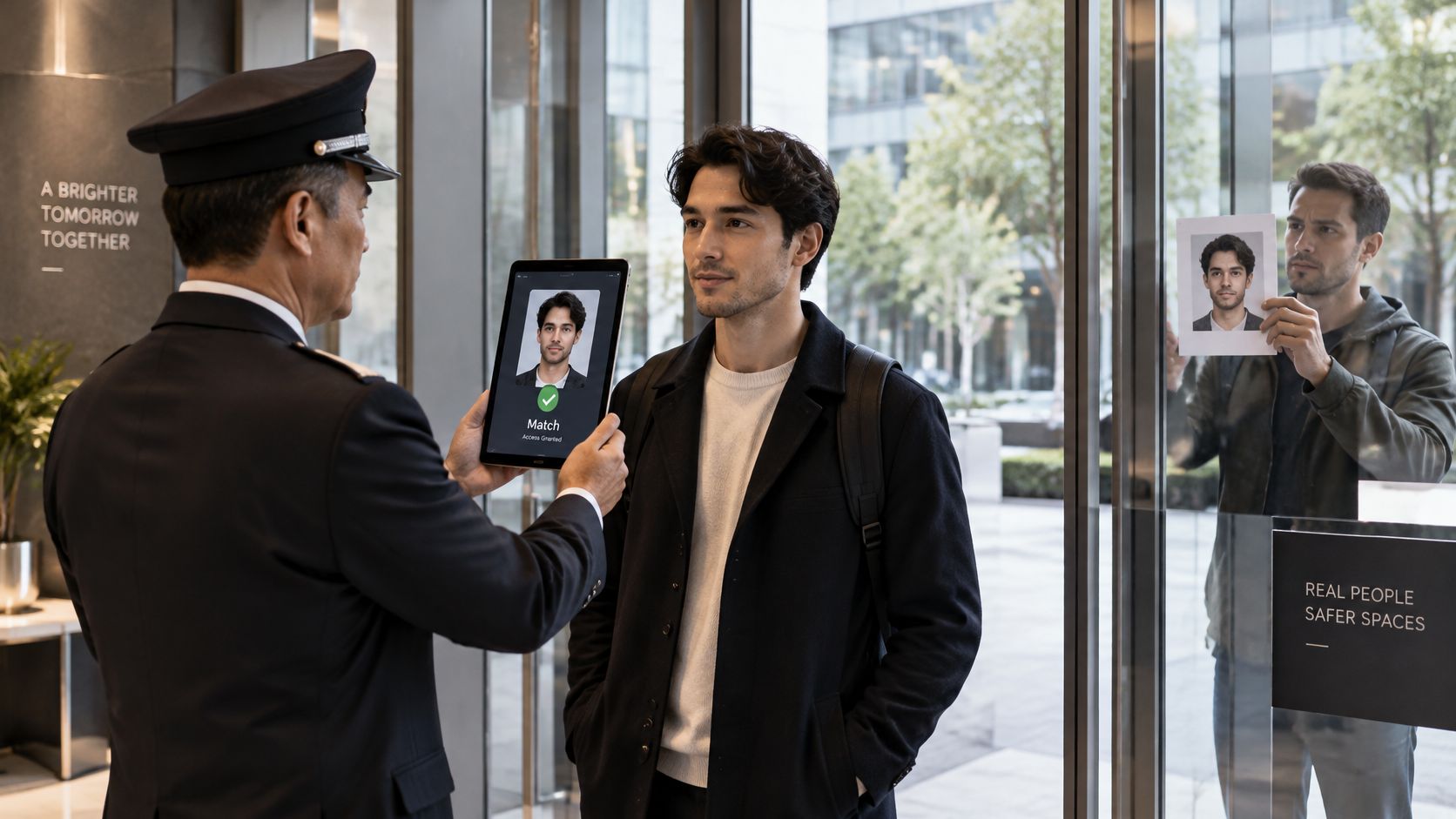 Face matching compares a captured face with the image on an identity document. Liveness detection checks whether the camera is seeing a person in real time. A system that does the first without the second may accept a photograph, a replayed screen, a mask, or synthetic media as if it were a live applicant.
NIST's digital-identity guidance sets measurable expectations for remote biometric checks. It calls for presentation-attack detection, or PAD, conformant with ISO/IEC 30107-3:2023, and an impostor attack presentation accept rate below 0.07. The guidance also calls for a fixed biometric decision threshold rather than thresholds that change by demographic group. Its draft performance thresholds identify a false-match rate of 1 in 10,000 or better and a false-non-match rate of 1 in 100 or better (NIST's digital-identity guidance).
The trade-off behind the threshold
A false match means the system accepts the wrong person. A false non-match means it rejects a legitimate person. Tightening the decision threshold can reduce impersonation risk, but may also reject more genuine applicants, especially when the camera, lighting, or image quality is poor.
That's why “more biometric checks” isn't automatically the right answer. The useful question is whether the system can detect spoofing while giving legitimate users a reasonable way to recover from a failed capture.
For an explainer of how face matching works in practice, this video offers a visual overview:
For a service platform, good operating practice means monitoring error rates across devices and capture conditions, offering a fallback when a selfie fails, and attaching the biometric event to the verified identity record. An old selfie or a fingerprint collected for a different purpose shouldn't be treated as equivalent proof that the person at the door is the professional on the profile.
Matching Checks to Risk
Browsing a service listing isn't the same as letting someone into your home or authorizing a payment. The proof a platform asks for should reflect what the user is about to do.
NIST organizes identity proofing around identity resolution, identity verification, enrollment, and fraud mitigation. The process must establish that an applicant is the genuine owner of the evidence and attributes they present, and that the evidence is authentic, valid, current, and connected to a real person. NIST also says knowledge-based questions must not be used for in-person or supervised remote identity verification (NIST's identity-proofing standard).
| Assurance Level | What It Requires | Home-Service Example |
|---|---|---|
| IAL1 | Self-asserted attributes; no link to a real-world identity | Creating an account to browse listings |
| IAL2 | Evidence that the identity exists, linked to the applicant through remote or in-person proofing | Verified professional profile with government ID and face match |
| IAL3 | Physical presence, an authorized and trained proofing representative, and at least one biometric | Disputed identities or escalated cases in regulated trades |
Put the levels into practice
IAL1 can suit a low-risk account that only browses listings. A name and email address may be enough for that limited purpose, but they shouldn't be presented as proof of identity. IAL2 is a reasonable model for a professional profile that homeowners use to make hiring decisions. The platform checks evidence for a real identity and links it to the applicant, for example through government ID and a face match. IAL3 involves stronger in-person proofing and a trained representative. A platform might reserve this level or an equivalent enhanced review for disputed identities, regulated work, or repeated fraud signals.The labels matter. Verified identity is not the same as verified license, insurance, background, or competence. Keep each claim distinct, with the evidence and verification date visible, instead of placing every result under one opaque “verified” badge.
Compliance, Privacy and Inclusive Fallback Paths
A responsible verification process collects only what it needs to make the decision. If the platform can store the result and timestamp instead of retaining raw biometric material, that can reduce the data it holds. Set a retention limit for sensitive raw data, restrict access, and use one biometric decision threshold across demographic groups.
A check that works smoothly for one applicant may fail for another. A document may be outdated, a camera may be poor, or a person may have a name that differs from older records. A failed face match doesn't automatically mean fraud.
UK government research found that 63% of people who hadn't used a digital identity lacked an opportunity or perceived need; privacy concerns affected 8%, security concerns 7%, and uncertainty 7%. Among respondents who had used digital identity, 9% struggled with the selfie or video face-matching process, rising to 14% in some demographic groups (the UK government's Digital Identity Sectoral Analysis 2025).
Make recovery part of the process
Build a clear route for legitimate users whose first attempt fails. That can mean accepting alternative documents, allowing a retry after the person improves lighting or camera position, and sending unresolved cases to human review before closing an account.
Explain what evidence the platform checks and what the outcome means. Keep the badge's claim narrow, and don't ask a homeowner to infer licensing or insurance from an identity-only result.
Privacy and access belong in the same design conversation. Collecting more evidence than a decision requires can increase friction and data exposure without improving the homeowner's ability to judge a professional. Rules for regulated finance and background screening also differ by jurisdiction, so confirm which obligations apply before choosing a provider.What Verification Does Not Prove
A verified badge doesn't mean the job is safe or the work is good. A bank teller who inspects a banknote can confirm the note is genuine. That says nothing about whether the person holding it is insured, licensed, or any good at the job you need done. Verification works the same way. It confirms one claim, at one moment, and nothing more.That's why the risk doesn't end at onboarding. The FTC reported a more-than-four-fold increase since 2020 in reports from older adults losing at least $10,000 to scammers impersonating trusted government agencies or businesses (FTC data on impersonation scams). Impersonation succeeds because the victim trusts a name or a credential that checked out once.
Keep trust checks attached to the job
Treat the badge as one signal, then confirm the match at each point where the relationship changes:
Background checks carry their own limits. Coverage can be restricted to certain jurisdictions, records can be incomplete, and results age. Even a clean result can't establish workmanship. Identity confirmation at sign-up also won't protect against a later profile takeover: account holders are responsible for keeping their own login credentials secure, and a changed phone number or payment destination deserves a second look.
Platforms state these limits openly. HomeProBadge and ScreenForge Labs LLC provide the platform as-is and aren't liable for the accuracy of third-party verification results or damages arising from use of the platform. Verified badges are re-verified annually to stay active, and between those checkpoints the badge functions as a dated record of specified checks. Read it as evidence with stated limits, and keep confirming the match at every step.
Choosing a Solution and Setting It Up for Home Services
A solo handyman verifying one profile has different needs from a platform onboarding many professionals. Start with the operating model: build an in-house workflow from document and biometric components, buy an end-to-end verification service, or use a trade platform that verifies professionals and displays results on their profiles.
| Criterion | What to Check | Red Flag |
|---|---|---|
| Assurance level | Whether each badge states the evidence level it meets | One opaque “verified” label with no detail |
| Liveness and fraud controls | Presentation-attack detection and fraud monitoring | No mention of spoofing defenses |
| Fallback paths | Alternative documents and human review for failed checks | One attempt only, with no recovery route |
| Data minimization | What is stored, for how long, and who can see it | Raw biometric data kept with no retention limit |
| Re-verification | Whether checks repeat on a schedule or after phone or payment changes | One-time check that's never refreshed |
| Scope of claims | Whether identity, background, license, and insurance are shown separately | A badge implied to prove workmanship |
| Liability terms | What the provider states about accuracy of results | Blanket disclaimers with no accuracy statement |
Match the workflow to the promise
A provider's scope matters as much as its verification method. A platform that handles identity, background, and licensing as separate checks can show each result on its own. That keeps homeowners from interpreting an identity badge as proof of insurance or workmanship.
For home-service professionals, HomeProBadge's verification process includes a government ID with face match, a national criminal and sex offender background check, and a state licensing database check. Verified badges are re-verified annually to keep them active and current. That gives a professional a defined set of checks to display, but the badge should still say what each check covers rather than make a broader promise.
A practical re-verification design includes a scheduled refresh and a check after changes to a phone number or payment details. Before you compare providers, write a short statement of what the badge is meant to promise. Then test each provider's evidence, fallback process, refresh rules, data retention, and liability terms against that statement.
Confirm the Right Pro Before You Book
Use this routine to connect the profile you reviewed with the person doing the work:
For more practical advice on evaluating a plumbing professional, Heatwave Air Conditioning, Plumbing, & Electric offers Heatwave's guide to finding trusted plumbers. You can also use HomeProBadge's guide to finding local contractors to help narrow your search. HomeProBadge's identity verification confirms a pro's government-issued ID against official records without requiring document uploads, and identity verification is typically instant.
Before booking, filter for professionals whose badges list identity, license, and insurance separately, then open the project photos for your shortlist.
HomeProBadge helps homeowners review professionals with identity, background, and licensing checks, along with profiles that show real job photos and verified proof of work. Browse the directory and compare the evidence behind each profile at HomeProBadge.